What is an org in Rose Rocket? Your company's own workspace
An organization is your company's own Rose Rocket: every board, record, user and role lives inside it, and each login lands in exactly one organization.
On this page3 sections
What it is
An organization is your company’s own Rose Rocket: its records, boards, roles and views all live inside one organization.
Take the organization you log into, for example the carrier demo org. Everything you see after login belongs to it: the boards, the records on them, the people who can open them and what each is allowed to see. Another company runs its own organization, with its own boards, records and roles. Nothing on screen belongs to the product in general; it belongs to the organization you are inside.
What you add or customize stays inside it
An organization is the boundary of everything you build. A field added to an object, a board, a view saved on that board, a workflow rule: each exists in the organization where it was created and nowhere else. Two companies can shape the same object differently and never see each other’s changes, which is why “your Orders board” means the one your organization set up, not a shared default. For example, a Required Equipment field on the carrier demo org’s orders belongs to that organization; a broker organization’s orders do not carry it unless a builder adds it there too.
Roles and permissions decide who sees what inside it
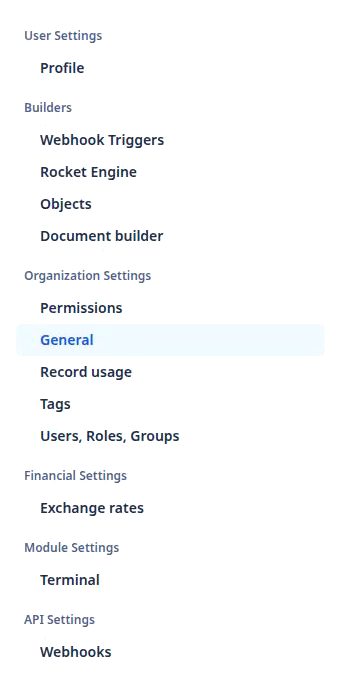
Inside that boundary, roles refine the view. A role is defined per organization, on Settings › Users, Roles, Groups, and every user in the organization is given one there. Permissions then read the role: detail view permissions decide which view of a record page a role opens, and a role means nothing outside the organization that defined it. For example, a dispatcher role in the carrier demo org shapes what its dispatchers see on an order and grants nothing in any other organization.
Your own operation, in daily flow
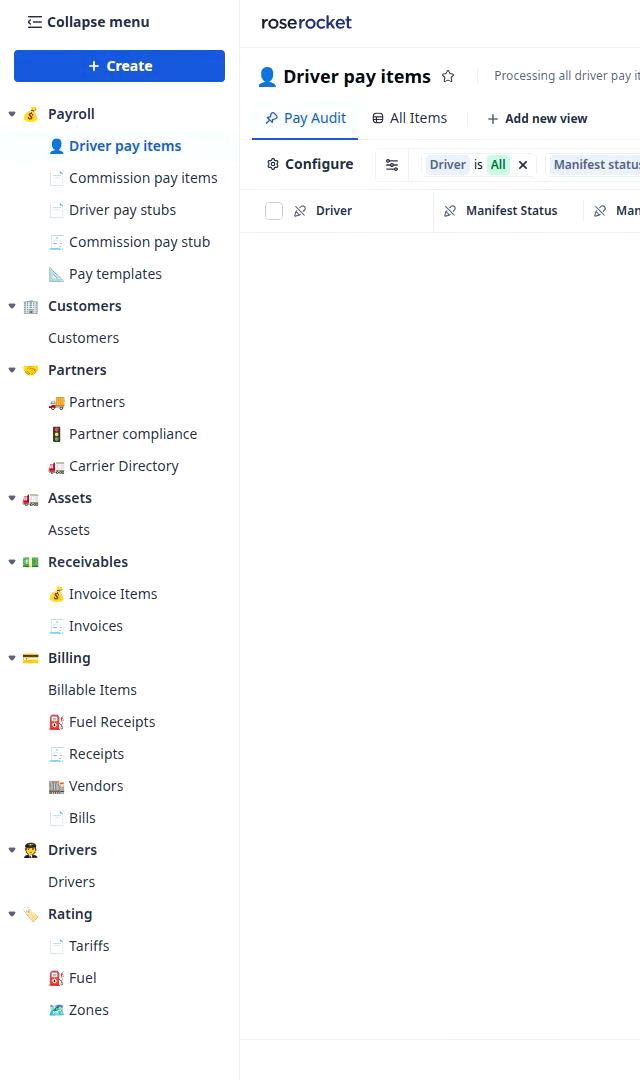
Together, that makes the organization your own operation as your team runs it every day. The boards in the left nav are not a fixed product menu; they are the jobs your team does, arranged by your builders, each one a board of this organization’s records. So a carrier’s nav and a broker’s nav differ, because they do different work. For example, the broker demo org above runs boards the carrier demo org does not have.
Users belong to an organization, and a login lands in one
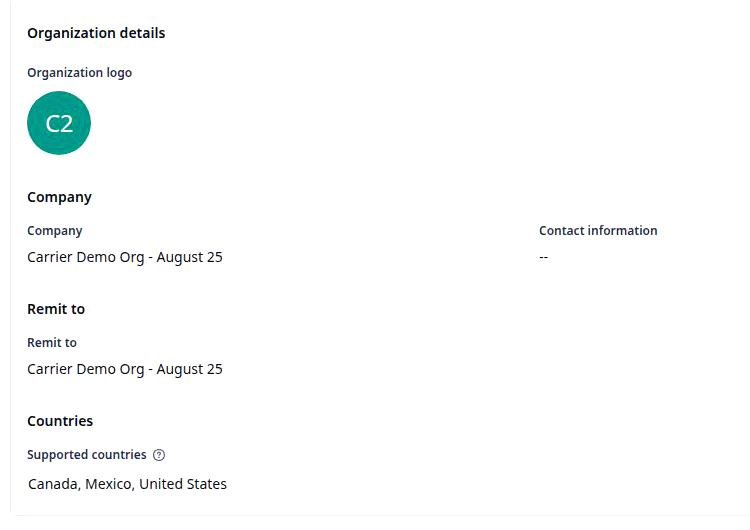
Each user has their own login, and that login lands in one organization, on its landing board. The organization’s name is written on Settings › General, on the Organization details card, the place to check which organization you are in. For example, signing into the carrier demo org lands on its Orders board, and its Company reads Carrier Demo Org - August 25.
Almost nothing crosses organizations; the one exception is the Shared with me nav group, where a board or record another organization has shared with yours appears, and only there.
Builders say org and organization for the same thing; the address bar carries the organization’s identifier as orgCode, so a link copied from one organization opens nothing in another.
Where you meet it in Rose Rocket
- Landing board after login (for example, the carrier demo org’s Orders board) → the board of the organization your login landed in → everything on it is this organization’s own.
- Left nav (for example, the broker demo org’s nav above) → this organization’s boards, the jobs your team does → a different organization shows a different nav.
- Settings › General and Settings › Users, Roles, Groups (for example, Company Carrier Demo Org - August 25) → the Organization details card names the organization → its users and roles live beside it.
Go deeper
- What is a record: one real thing inside the organization
- What is an object: the shape of each kind of thing
- What is a board: the boards in this organization’s nav
- What is a field: the fields your organization adds
- Platform basics: objects, records, boards, workflows
- Board views: a board shaped for one team
- Detail view permissions: what a role sees on a record