What 51/49 means in Rose Rocket: shipped, then shaped by you
Rose Rocket ships the orders, boards and record page every carrier and broker needs; your team shapes the fields, views and rules that make it yours.
On this page3 sections
What it is
Rose Rocket ships the 51 percent every carrier and broker needs, and you shape the other 49 percent that makes your operation yours, without waiting on a vendor.
The shaped part is whatever your operation carries that a standard order does not. For example, a flatbed carrier’s orders each carry a required-equipment type and a tarping instruction that the shipper expects on the rate confirmation. That carrier adds those fields to its Order object, puts them on the record page and the Orders board, and every order carries them from then on. Nobody outside the company touched it.
What ships
Orders, customers, carriers and invoices arrive ready to use, with a board that lists each kind and a record page that opens a single record. An order already knows its customer, its stops, its status and its rate, and the Orders board already lists every order as a row. This part is the same in every Rose Rocket organization. It is also the ground the shaped part stands on: a field you add sits beside Status and Customer, not in a separate place.
What you shape
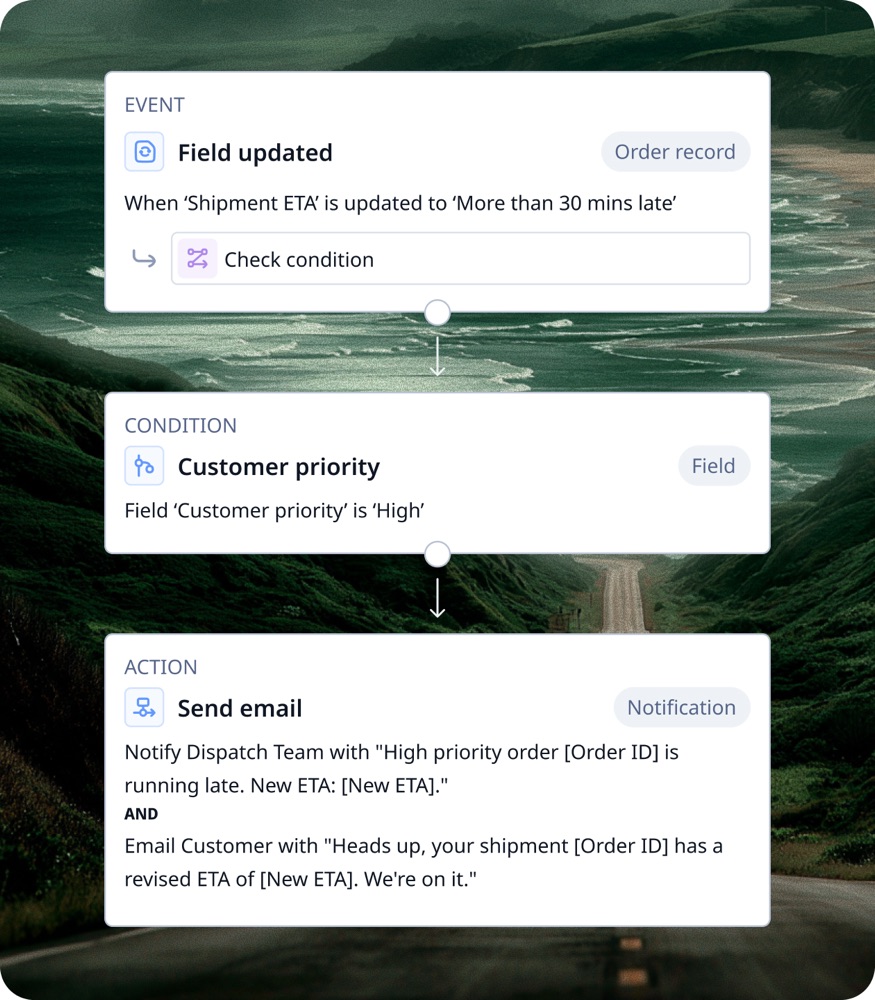
The shaped part is made of the same materials as the shipped part. An object is a type of thing you track, and you can add your own or extend what shipped. A field is a piece of information on an object, and adding a field puts it on every record of that type. A board lists the records of an object, and a view is a saved tab of that board with its own filters and columns, so dispatch and billing look at the same orders differently. A workflow is a rule on your records that acts when something happens, for example blocking an edit to an invoice that has already been sent. Each is changed in a builder inside the product, by someone on your team.
What that means on a normal day
For the dispatcher, the shaped part is invisible. The Orders board has the columns the desk needs, the record page asks for the information the desk actually collects, and a rule stops a mistake before it saves. For the person who set it up, usually an operations lead or an admin, a change is an afternoon in a builder rather than a request to Rose Rocket. When the operation changes, for example a new customer wants its PO number on every invoice, the same person adds the field, and the board and the record page pick it up.
Builders call the shaped part configuration.
Where you meet it in Rose Rocket
- Object Builder (Settings › Builders › Objects, then an object such as Order) → the object’s field list, with a Custom pill on each field your team added → the shaped part of an order beside the shipped part; see Object Builder.
- Configure on the Orders board (Operations › Orders) → Configure View with the view’s filter, sort, grouping and columns → a board shaped for a desk; see Board views.
- Workflows table (Settings › Builders › Rocket Engine) → a row per rule with its object, event, condition and action → the rules your team wrote; see Platform basics.
Go deeper
- Platform basics: objects, records, boards and workflows
- Object Builder: the builder that shapes an object
- Board views: filters, columns and layouts saved per desk
- Customize the Order object: a field added to the object, on every order
- What is an object, a field, a board, a workflow